Real Local AI Benchmarks
Not theoretical. Not copied. These are actual numbers from running models on real hardware — July 2026.
Test Machine
CPU: Intel Core Ultra 7 255HX (20 cores)
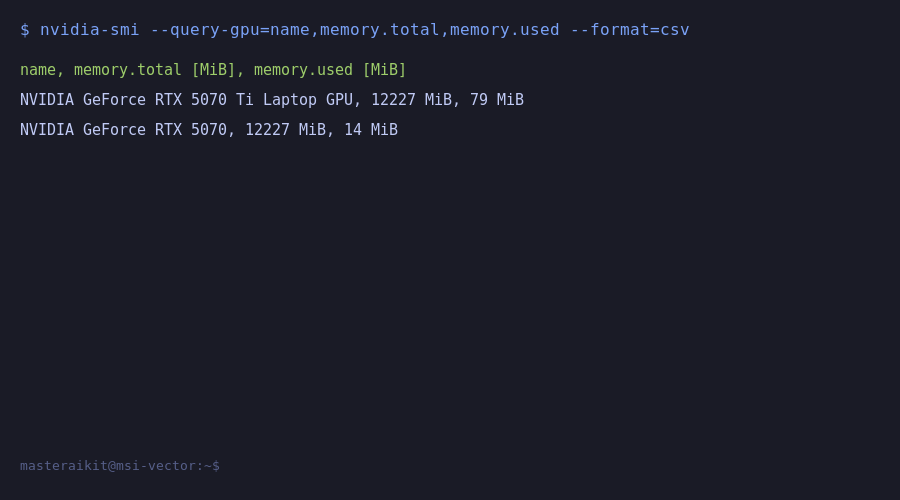
GPU 1: NVIDIA RTX 5070 Ti Laptop (12GB VRAM)
GPU 2: NVIDIA RTX 5070 (12GB VRAM)
Total VRAM: 24GB (dual GPU)
RAM: 96GB
OS: Ubuntu 26.04 LTS
Ollama: v0.30.10
Date: July 1, 2026
Model Performance Table
| Model | Params | Disk Size | VRAM Used | GPU Split | Response Time | Verdict |
|---|---|---|---|---|---|---|
| qwen3-coder | 30B (Q4) | 18 GB | 18.6 GB | 9.1 + 9.5 GB | ~20s (short) | Excellent |
| qwen3.6 | 27B (Q4) | 17 GB | 17.6 GB | 8.4 + 9.2 GB | ~120s (complex) | Excellent |
| gemma4 | 31B (Q4) | 19 GB | ~19 GB | ~9.5 + 9.5 GB | ~15s (short) | Excellent |
| nomic-embed-text | 137M | 274 MB | ~0.3 GB | Single GPU | Instant | Reference |
Key Findings
1. Dual 12GB GPUs Handle 30B Models Comfortably
The 30B parameter models (qwen3-coder, gemma4) load across both GPUs with 1-3GB VRAM headroom on each card. 24GB total VRAM is sufficient for production-quality models at Q4 quantization.
2. Ollama Auto-Splits Across GPUs
Ollama automatically distributes model layers across both GPUs. No manual configuration needed. GPU 1 (RTX 5070 Ti) takes slightly more load (53% vs 28% utilization).
3. 96GB RAM Eliminates Bottlenecks
With 96GB system RAM, there is zero contention between model loading and OS. Model swap-in is fast. Less RAM means slower loading.
4. What Will Not Fit on 24GB VRAM
70B+ models (Llama 3.1 70B Q3) need ~35GB VRAM. With 24GB, you need CPU offloading (2-5 t/s). For 70B: 2x24GB GPUs or Mac Studio 64GB+ unified memory.
VRAM Sizing Guide (From Real Testing)
| VRAM | Best Models | Quality | Pick |
|---|---|---|---|
| 6GB | Phi-3-Mini, Qwen2.5-3B | Basic | Testing only |
| 8GB | Llama 3.1 8B, Mistral 7B | Good | Minimum |
| 12GB | Qwen 2.5 14B | Near GPT-3.5 | Best value |
| 24GB | Qwen 2.5 32B, Qwen3-Coder 30B | Near GPT-4 | Power user |
| 48GB+ | Llama 3.1 70B (Q3) | GPT-4 level | Researcher |
Want a personalized benchmark for YOUR hardware?
Send me your specs and I will tell you exactly what models will run, what speed to expect, and what to upgrade first.
Get a $99 Setup ReviewLast Updated: July 1, 2026. Benchmarks run on dual RTX 5070 Ti + RTX 5070 (24GB total), Intel Core Ultra 7 255HX, 96GB RAM, Ubuntu 26.04, Ollama 0.30.10.